Setting Up a Smartphone for a Parent in Assisted Living
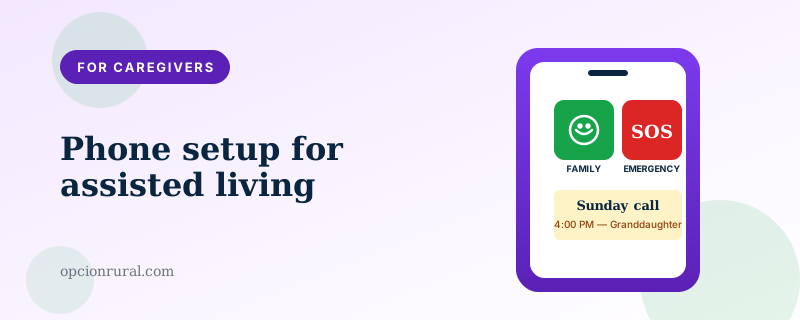
A smartphone in an assisted-living apartment is a different object than the same phone in a private home. The environment is different — shared common spaces, professional caregivers coming in and out, schedules that aren't entirely the resident's own. The setup that works in this environment is slightly different than the one for an independently-living senior. Below is a sensible default configuration for a parent moving into a facility.
The four people who need the phone number
Before configuring the phone itself, decide who at the facility should have your parent's number. The list is usually shorter than families expect:
The director of nursing or whoever runs the medical side.
The activities director, if your parent participates in activities and would like to be reminded of them by text.
One trusted aide your parent already knows well, if there is one.
The reception desk, for the rare situation where they need to reach the resident directly.
That's it. Resist the urge to put the number in the resident's official record where every staff member can see it; the result is interruption rather than communication.
The home-screen layout
For most assisted-living residents, a heavily simplified home screen is appropriate. The home screen should contain:
The Phone app, large and obvious.
A "Family" folder with photo-buttons for each immediate family member's contact (Apple's Assistive Access or Samsung's Easy Mode both support this — covered in the dementia piece).
The Camera app.
The Photos app — usually configured to show a shared family album as the first thing.
An app for the patient portal at their primary care office.
Nothing else. Web browser hidden or removed; App Store hidden or removed; news apps removed; everything that doesn't serve a clear purpose, gone.
The settings that matter
Ringer volume: maximum. Hearing aids may or may not be in. Even if they are, the assisted-living apartment may have ambient noise that masks a quiet ring.
Vibration: on, in addition to the ring. The combination is more likely to catch attention than either alone.
Auto-Lock: 5 minutes (longer than the standard 2 minutes from the lock piece). The resident may be slow to reach the phone after picking it up; the longer auto-lock window means fewer false re-authentications.
Face ID or fingerprint: configured. PIN: known to the resident and written on a small card kept in the bedside drawer in case the biometric fails.
Brightness: maximum. Auto-brightness off. Bright rooms and aging eyes need consistent visibility.
Text size: maximum. Bold text on. Accessibility settings turned up to the highest comfortable level.
Emergency SOS: configured (covered in the SOS piece). Emergency contacts set to two family members plus the facility's main number.
Medical ID: filled out completely. The facility's medical staff has their own records, but the smartphone Medical ID is what emergency responders see if your parent is taken to a hospital outside the facility.
What to share with the facility
The PIN, written down, sealed in an envelope marked "Resident's phone PIN — emergency only," kept with the facility's resident records. This sounds like overkill until the moment when the phone has frozen and only a power-cycle plus the PIN will recover it; in that moment having the PIN on file saves a call to family.
The names of family members who are authorized to be told about communication issues with the phone.
The make and model of the phone, so if a piece of equipment in the apartment fails (Wi-Fi router, wall charger), the staff knows what's compatible.
The fact that the resident uses the phone for medical-related communications (telemedicine visits, patient portal, prescription refills). This gets the phone treated as a medical device rather than a personal accessory, which matters at facilities with restrictive policies about electronics.
The charging setup
This is the small thing that matters most.
Put the phone on a charging stand or wireless charging pad on the bedside table, not a cable lying loose on the floor. Loose cables get pulled, snagged, or tripped over. A stand keeps the phone at a consistent location and angle and prevents the phone from being left somewhere else in the apartment overnight.
Choose a stand that holds the phone upright at about a 60-degree angle. Then video calls don't require holding the phone up; you set the phone on the stand, the call appears, your parent can talk to you while doing something else.
About $25 for a good stand on Amazon. Anker and Belkin both make reliable ones. Worth the investment.
The weekly habit
Call your parent at the same time each week. Sunday afternoon, Tuesday after lunch, whatever fits. Predictability matters more than frequency.
During the call, casually check whether the phone is working: was the volume loud enough, did Face ID work, did they see the photo their granddaughter sent. Any small issue surfaced during a routine call is easier to fix than the same issue discovered during an emergency.
Once a month, do a longer "tech check-in." Restart the phone. Apply any pending updates. Make sure the shared photo album is still syncing. Confirm the patient portal still has the right login.
This sounds like a lot. It's about ten minutes a month. The phone stays working; your parent feels supported; the staff doesn't have to deal with phone issues. Everyone wins.
The unspoken thing
A smartphone in assisted living is often the resident's primary connection to the world outside the facility. The setup decisions affect mood and quality of life more than they affect anything technical.
The pattern, in family after family: the phone, set up carefully on day one, becomes the lifeline. Sunday video calls with great-grandchildren. Photos from a son's vacation. The local newspaper, still read on the small screen. Residents describe the phone, in their own words, as the single thing that made the transition bearable.
That is the real reason this setup matters. The technical pieces are small. What they enable is not.
Written by Justin Lowen. Last verified 15 June 2026.