Helping a Parent Update Their Phone From a Distance
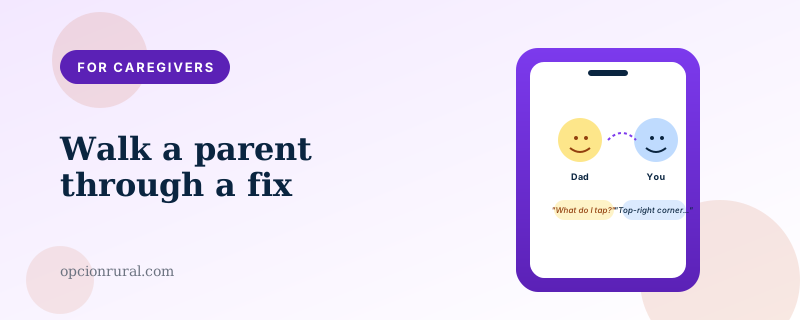
Guiding someone through a technical task over the phone — without being able to see their screen, often across a bad connection — is genuinely a skill. It is one of the most useful things an adult child can develop for their parent's smartphone.
What follows is what makes it work. None of it is technical. All of it is about how to talk through a task that the other person is performing.
The hardest part isn't the phone
The hardest part is keeping both of you calm. Your parent is already a little frustrated — that's why they called. Your tone in the first thirty seconds sets the tone for the whole call.
Start with: "We'll figure this out together. Let's take it one step at a time." Then ask what they see on the screen right now. Not what they want to see, not what they did before. What is on the screen as they are looking at it.
The first question is always to establish where the other person actually is. Half the time the call starts with a parent describing what they intended to do, not what's actually on the screen. The right starting point is the actual screen.
Describe by location, not by name
"Tap the gear icon" only works if your parent knows what a gear icon looks like and there's only one on the screen. Often neither is true.
"Look at the very top of the screen, on the right side. Do you see a small circle with three dots inside it? Tap that." This is slower but it works the first time.
When you don't know exactly what your parent's screen looks like, ask them to describe what's on the screen, area by area. Top-left corner. Top-right corner. Middle. Bottom. Once you have a map of their actual screen, your instructions can target specific things.
Talk slowly, pause between steps
One step at a time. Wait for them to confirm they've done it. Then the next step.
Resist the urge to queue up "tap Settings, then scroll down to Privacy, then tap Location, then turn it off." Three of those four steps will be wrong by the time you finish saying them. Tap Settings, then wait. Then scroll down, then wait. Then Privacy, then wait. Each pause feels long to you and is invisible to them.
When they get lost, back up to a known place
This is the most useful single trick I learned in support. When the call has gone off the rails — they tapped something unexpected, the screen looks different, neither of you knows where you are — say: "Let's go back to the home screen and start over."
The home screen is a known place. Both of you can find it. From there, you can repeat the instructions, possibly more carefully than the first time.
Don't try to recover from the unexpected state by guessing what they tapped. The recovery is to abandon the current state and restart cleanly.
Use the screen-share when it's available
If both of you have iPhones, the FaceTime screen-share feature covered in the screen-sharing piece changes the whole dynamic of the call. You stop guessing what they're seeing; you can see it.
For calls that aren't FaceTime-compatible, Google Meet's equivalent works the same way. Either is worth setting up once and then using whenever a call gets complicated.
Recognize when to stop trying remotely
Some problems aren't solvable over the phone. The screen is unresponsive. The Wi-Fi has stopped working. The phone won't turn on. After about fifteen minutes of trying without progress, take a breath and acknowledge the situation.
"Let's pause on this. I think we need someone to look at the phone in person. Can you take it to the [local Apple Store / Best Buy Geek Squad / library tech help / community center] tomorrow? In the meantime, let's make sure you can still make and receive calls — that's the important part."
This is not failure. This is the right call. Most things are fixable remotely; some aren't, and pretending otherwise just exhausts both of you.
End every call with the next thing
Before hanging up, summarize what you fixed and what's left. "Okay, so the email is working again. The next thing you wanted to do is set up the patient portal. Let's plan to do that on Saturday afternoon when we have more time."
Your parent will remember the summary; they will not remember the middle parts of the call. The summary is what stays.
The thing nobody tells you
You will get faster at this. The first six months of adult-child-as-tech-support are the hardest. The vocabulary develops; the patience develops; the rhythm develops. By month twelve you will recognise most problems from the first description and have a fix ready in your head before your parent has finished explaining.
This isn't because your parent is getting worse at the phone. It's because you are getting better at translating. Give yourself credit for the development. It is, in a small and quiet way, one of the things adult children do for their parents that the parents never know to thank them for.
Written by Justin Lowen. Last verified 16 June 2026.