The Library App Every Senior Should Have
A familiar refrain from people of a certain age: "I don't go to the library anymore because everything is on the phone now." The first part is true. The second part is also true. But the conclusion is backwards.
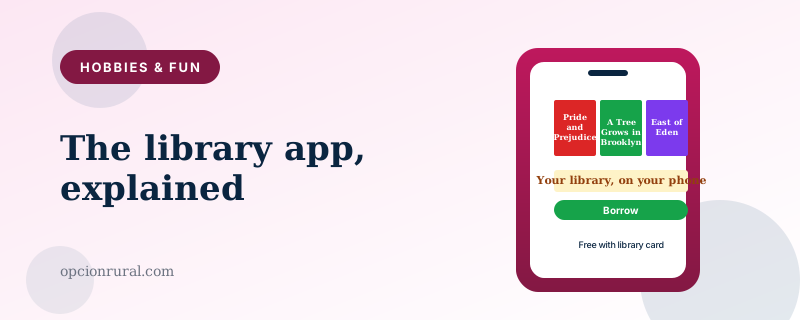
The library has not gone away. It has moved into the phone. The collection is bigger than ever. The hours are 24/7. The late fees have largely been abolished. You need one app to access all of it, and you almost certainly haven't installed it.
That app is Libby. Below: how to get set up, the features most users never discover, and a few small habits that turn occasional use into a daily one.
Getting set up
Step one is having a library card. If you don't have one, this is a half-hour errand you can run today. Walk into any public library with a piece of mail showing your home address and a photo ID. They will print you a card on the spot at no charge. Your card works at any branch in your library system, often at branches in neighboring counties through reciprocal agreements, and through Libby on your phone.
Step two is the app. Install Libby from the App Store or Play Store. Open it. The first screen will say "Welcome! Are you ready to get a library card?" — you already have one, so tap "Yes" anyway. Tap "I'll search for a library." Type your library's name or zip code. Pick the library from the list. Enter your library card number.
You're in. Libby now shows you everything your library lends digitally: e-books, audiobooks, magazines, sometimes movies, sometimes music. You can borrow up to a certain number at a time — most libraries allow five or ten — for two or three weeks at a time.
The screen worth understanding
Libby has five tabs at the bottom: Library, Search, Shelf, Timeline, and Menu.
Library is the home screen — featured titles, recommendations, recent additions.
Search is what you use most. Type a book title, author, or topic. Tap a result. If it's available, tap Borrow. If it's not, tap Place Hold and Libby will let you know when it's your turn. Most popular new books have a wait of two to eight weeks. Older books are usually available immediately.
Shelf is your borrowed books and your current holds. Tap a book to read or listen.
Timeline is your reading history. Useful for "what was that book I read last fall?"
Menu has the settings.
The features most users don't discover
Several small features make a meaningful difference, none of them obvious at first glance.
Preference Filters. When searching, tap the small "Preferences" link at the top. Set Audiobooks, Available Now (skip the holds), and the format you actually want. From then on, every search respects these preferences.
Tags. You can create your own labels — "to read this winter," "for the cabin trip," "books my book club picked" — and tag any book with them. The tags don't expire. Books you tagged years ago show up when you search the tag, even if you no longer have them borrowed. A way of building a personal library inside the system.
Skip the hold for popular books. If your library has the same book in both e-book format and audiobook format, the e-book often has a shorter waitlist. If you're flexible about format, search both.
Send to Kindle. When you borrow an e-book through Libby, you can choose to read it inside Libby's reader or have the book delivered to your Kindle app instead. The Kindle reader has some features (highlighting that syncs across devices, page-numbering that matches the print edition) that Libby's reader doesn't.
The car-ride feature. If you start an audiobook on your phone, then get in the car with CarPlay or Android Auto, the audiobook continues through the car speakers automatically. You can pause and resume by reaching for the steering wheel buttons rather than the phone.
Multiple library cards. If you live in one town and have a library card from a vacation town too, you can add both cards to Libby. The collections combine — you have access to the catalog of every library you're a member of.
What you can borrow that you didn't know about
E-books and audiobooks are the obvious categories. Two others you might miss:
Magazines. Most libraries lend current issues of magazines through Libby — The New Yorker, The Atlantic, Better Homes & Gardens, AARP The Magazine, Smithsonian. Free, no waitlist, current issue. The whole magazine appears in the Libby reader as if you'd subscribed.
You may also find a separate app called Flipster or PressReader at your library — both are similar magazine services that some libraries offer instead of, or in addition to, Libby's magazines.
Newspapers. Some libraries lend digital access to the New York Times, the Wall Street Journal, the Washington Post, and other major papers. Free for as long as your library card is current. Worth checking with your specific library.
The small habits that make it stick
Three things that consistently work:
Put Libby on the front screen of your phone, not buried in the second screen. The friction of finding the icon is the friction that keeps people from using it.
Always have one book on hold and one borrowed. The book you're borrowing is what you're reading now. The book on hold becomes the book you read next. The system delivers them in a steady stream, like an old-fashioned mail subscription.
When a book finishes, immediately put another one on hold. Don't wait until you want it; the holds queue is sometimes weeks long, and starting it early means there's always a book about to arrive.
The librarian still exists
One small thing that gets missed in the digital library conversation. The librarians at your local branch are still there, still patient, still extraordinarily good at suggesting books based on what you've enjoyed before. They will help you set up Libby if you bring your phone in. They will help you find books once you're set up. The phone is a tool. The librarian is the person who knows where the good stuff is.
Public libraries are arguably the single most useful institution most American adults still have access to. The phone version doesn't replace the building — it extends it. Use both. The library card is one of the best things you own, and Libby is how it shows up in your pocket.
Written by Justin Lowen. Last verified 18 June 2026.